7 Ways Your Desk Setup Is Quietly Undermining Your Arm Training
Quick Answer: Arm training is three to four hours a week. A desk is forty. When the desk position keeps your shoulders rounded, your elbows flexed, and your wrists extended for eight hours a day, it changes resting muscle length, joint position, and tissue tolerance in ways that directly limit what your arm sessions can achieve. Seven specific setup issues account for most of it - monitor height, armrests, keyboard position, mouse reach, chair depth, forearm support, and break frequency - and all seven are adjustable this afternoon.
The program is fine. The effort is there. But the eight hours between sessions are not neutral time, and if they are working against you, no amount of curls will out-vote them.

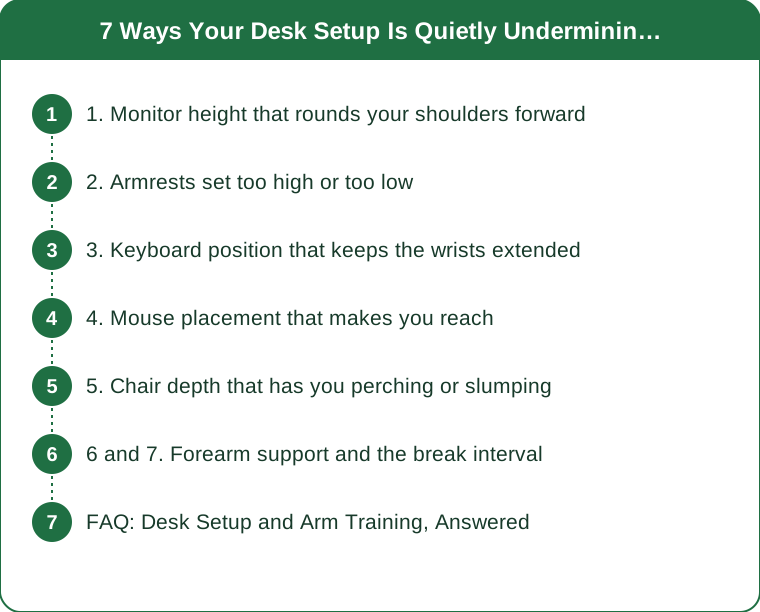
1. Monitor height that rounds your shoulders forward
A monitor set too low pulls the head and upper back forward, which rotates the shoulder blades into protraction and internally rotates the shoulders. Held for hours, that becomes your resting position - and a resting position of internally rotated, protracted shoulders is a poor starting point for any overhead or pressing work.
The practical consequence for arm training is range and stability. Shoulder position determines how well the scapula moves during pressing and pulling, and a shoulder that starts forward has less available room in overhead movements, which shows up as pinching, compensating, and lifting less than your arms are capable of.
The fix is standard and free. Top of the screen at roughly eye level, screen about an arm’s length away. Laptop users need either a stand plus a separate keyboard or a stack of books - a laptop used directly on a desk cannot satisfy both the screen and the keyboard requirement simultaneously.
Check it at the end of the day, not the start. Everybody sits well at 9 am. The position that matters is the one you drift into by 4 pm, and that is the one to design around.
2. Armrests set too high or too low
Armrests that are too high push the shoulders up into a shrug, loading the upper trapezius for hours at a time. Chronically shrugged shoulders contribute to neck and upper back tension and to the trap-dominant pattern that makes shoulder and arm work feel harder than it should.
Armrests that are too low leave the arms unsupported, so the shoulder girdle carries the weight of both arms all day - which is more fatigue than most people realize and another route to a shrugged, tense upper back.
Set them so your elbows rest at roughly 90 degrees with your shoulders relaxed and down. Your forearms should be supported without your shoulders rising to meet the rest.
If your chair does not adjust, removing the armrests is often better than leaving them wrong. An unsupported arm at a good desk height beats a supported one that shrugs you all day.
3. Keyboard position that keeps the wrists extended
A keyboard that sits high, or one with the little legs propped up, holds the wrists in extension for hours. Sustained wrist extension keeps the forearm extensor group under low-grade continuous load, which is one of the more common contributors to the lateral elbow discomfort that then limits gripping in training.
Grip is upstream of almost all arm work. Curls, rows, pulldowns, carries - all of them are gated by what your hands and forearms can tolerate. Forearms that arrive at the gym already fatigued from eight hours of low-grade extension are a genuine training limiter.
Flatten the keyboard, or angle it slightly away from you. The legs on the back of most keyboards should generally stay down, despite being the default position most people never change.
Keep the wrists in a neutral line with the forearm. If you can see a bend in either direction while typing, the height or the angle needs work.

4. Mouse placement that makes you reach
A mouse set out to the side and forward means hours of low-level shoulder abduction and reaching, held by the same muscles you are trying to train and recover. It is the most asymmetric thing most people do all day, and it is a common driver of one-sided shoulder discomfort.
Bring it in close, at the same height as the keyboard, so your upper arm hangs near your side rather than reaching. A narrower keyboard without a number pad frequently solves this in one purchase.
Watch for the associated grip tension. Many people hold a mouse with far more grip force than necessary, which adds to the forearm load. Notice it once and you will catch yourself doing it repeatedly.
Switch sides occasionally if you can. Even a day a week reduces the asymmetry, though it takes some getting used to.
5. Chair depth that has you perching or slumping
A seat pan that is too deep means you either perch on the front edge or slide down into a slump to reach the backrest. Both positions change pelvic position, which changes rib position, which changes shoulder position - the chain runs all the way up to the joints you train.
A slumped rib cage limits shoulder elevation directly. You cannot reach full overhead range with a collapsed thoracic position, which affects pressing work and any overhead triceps movement.
Set the depth so there is a small gap behind your knees with your back against the backrest. If the chair does not adjust, a cushion behind you effectively shortens the seat.
And check the seat height against the desk. Feet flat, thighs roughly parallel to the floor, elbows at desk height. A footrest solves the common situation where the correct arm height leaves your feet dangling.
6 and 7. Forearm support and the break interval
6. No forearm support during long sessions
Unsupported forearms during typing keep the shoulder girdle working continuously. Supporting the forearms - on armrests set correctly, or on the desk surface with enough depth in front of the keyboard - lets the upper back relax.
Aim for a few inches of desk in front of the keyboard. Keyboards pushed to the front edge of a desk remove the option entirely.
Watch that support does not become compression. Resting the underside of the forearm on a hard desk edge for hours can be uncomfortable and irritate the tissue there; a padded edge or a wrist rest positioned for the forearm rather than the wrist helps.
7. Sitting in one position too long, regardless of how good it is
The best desk position held for four hours is worse than a mediocre one you change every thirty minutes. Tissue tolerance is affected by sustained static loading far more than by any particular posture, which is why the research emphasis has shifted toward movement variety rather than one perfect position.
Set a genuine interval. Every 30 to 45 minutes, stand up, roll the shoulders back a few times, open the chest, and let the arms hang. Sixty seconds is enough.
Add two specific movements if you train arms. A doorway or wall chest opener, and a few scapular retractions. Both directly counteract the position the desk puts you in, and both take under a minute.
And do not treat this as a substitute for training. Breaks reduce the accumulated cost of the desk; they do not build anything. The point is to stop the desk from eating your training adaptations, not to replace the training. This is general information, not medical advice - persistent pain or numbness in the arms or hands is worth a proper assessment.
FAQ: Desk Setup and Arm Training, Answered
Can a desk job really affect my arm training results?
Eight hours a day in a rounded, flexed, wrist-extended position changes resting joint position and keeps forearm and shoulder tissues under low-grade load, which affects available range and recovery. Three hours of training does not out-vote forty hours of position.
What is the most important desk change to make first?
Monitor height, because it drives head and shoulder position and therefore everything downstream. Top of screen at roughly eye level, about an arm’s length away, with a separate keyboard if you use a laptop.
Why do my forearms feel tired before my arms in workouts?
Sustained wrist extension while typing keeps the forearm extensors under continuous low-grade load all day, so they arrive already fatigued. Flattening the keyboard, keeping wrists neutral, and reducing mouse grip force all help.
How often should I get up from my desk?
Every 30 to 45 minutes for around a minute. Movement variety matters more than finding one perfect posture, and a short chest opener plus a few scapular retractions directly counteracts the desk position.
TL;DR:
- Forty desk hours a week shape your joint positions and tissue tolerance far more than three training hours do.
- Monitor height drives head and shoulder position - fix it first, and check your posture at 4 pm rather than 9 am.
- Armrests should support your forearms without shrugging your shoulders; wrong is worse than absent.
- Flatten the keyboard, keep wrists neutral, and bring the mouse in close - all three reduce the forearm and shoulder load that limits your grip in training.
- No posture is good enough to hold for hours: move every 30 to 45 minutes and add a chest opener plus scapular retractions.
Your arm program is probably fine. It is just competing with a full-time job that is pulling in the opposite direction - and the desk is much easier to change than the program. This is general information, not medical advice.
Keep Reading
This article is for general informational and styling purposes only. Fit, sizing, and product availability may vary.